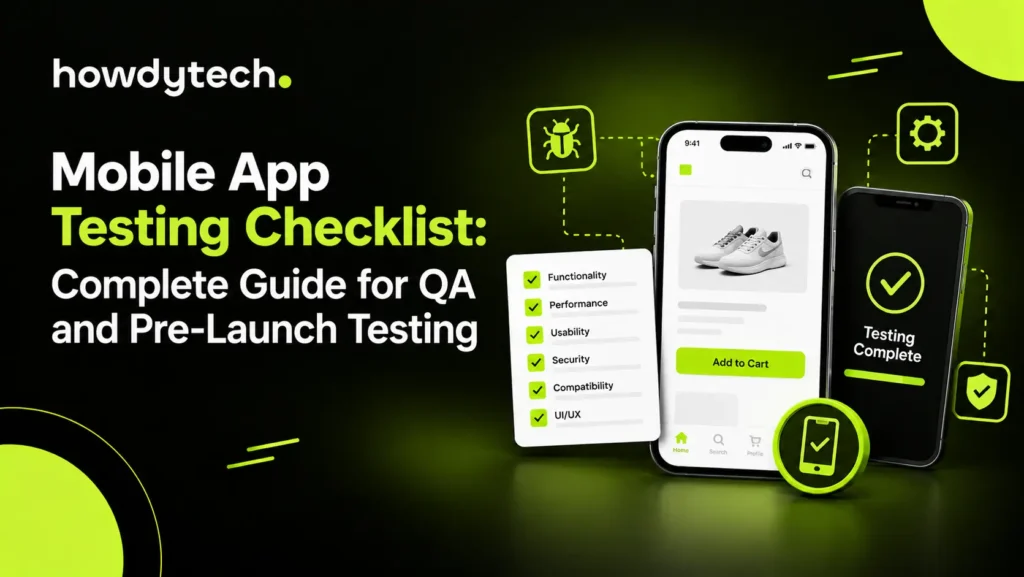
A mobile app testing checklist gives your Quality Assurance (QA) team a structured method to verify functionality, usability, performance, security, compatibility, and release readiness. A complete checklist for mobile app testing covers real devices, operating systems, network conditions, interruptions, installation, updates, accessibility, and regression testing.
Mobile applications can fail outside controlled development environments. A feature may work on one phone but break on another screen size, operating system version, manufacturer interface, or network condition. Howdy Tech can help you build a practical mobile app QA process that combines manual testing, automated testing, real device testing, and release validation.
What Is a Mobile App Testing Checklist?
A mobile app testing checklist is a structured set of pass/fail checks that confirms an application meets functional, technical, usability, security, and compatibility requirements before release. The checklist converts requirements into repeatable test conditions and gives QA teams clear release criteria.
A strong checklist starts with Requirements Analysis, followed by Test Planning and Strategy, Test Case Design, Environment Setup, execution, defect verification, and final regression testing. Each test case should define the expected result, actual result, test environment, severity, and status.
Use one checklist for every release, then expand coverage when new features, devices, integrations, permissions, or operating system versions enter the supported environment.
What Should You Test Before Launch?
Before launch, test core user journeys, interface behavior, device compatibility, network recovery, security, performance, accessibility, installation, updates, localization, and analytics. Pre-launch testing must cover both expected actions and failure conditions.
Prioritize business-critical flows such as signup, login, search, checkout, booking, payment, messaging, profile changes, logout, and account recovery. Test each flow from a fresh install and an existing account because stored data can expose defects that fresh installations do not reveal.
Functional Testing Checklist
Functional testing confirms that every feature performs the defined action and produces the expected result. Start with complete workflows instead of isolated buttons because mobile users interact with multiple features within one session.
Check:
- Signup, login, logout, password reset, and account recovery.
- Form validation, invalid inputs, required fields, and error messages.
- Buttons, links, gestures, scrolling, menus, and interactive controls.
- Search, filtering, sorting, checkout, booking, messaging, and payments.
- Deep links that open the correct screen with the correct parameters.
- Push notifications and the destination opened after a notification tap.
- Session expiry, token refresh, re-authentication, and logout behavior.
- Offline states, cached content, synchronization, and recovery after reconnection.
- Android back-button behavior and iOS gesture navigation.
- Third-party integrations, permissions, and API responses.
Validate backend data after important transactions. A successful screen message does not confirm that the server stored the correct record.
UI and Usability Testing
Usability testing confirms that users can understand, navigate, and complete important tasks without unnecessary effort. Test interface clarity on supported devices, orientations, font settings, and interaction methods.
Check text for truncation, overlap, clipping, inconsistent spacing, and unreadable contrast. Verify that interactive controls have sufficiently large touch targets and that the soft keyboard does not cover fields or action buttons.
Test loading states for network-dependent actions. Every delayed operation should communicate progress, completion, or failure. Review empty states, permission prompts, confirmation messages, and destructive-action warnings for clarity.
Test portrait and landscape layouts where both orientations are supported. Verify dark mode, system font scaling, dynamic text, and screen-reader labels where applicable. Use manual usability testing with people who did not design the interface because unfamiliar users can expose unclear navigation and terminology.
Device and OS Compatibility Testing
Compatibility testing confirms that the application behaves consistently across supported devices, screen sizes, manufacturers, and operating system versions. Build the device matrix from real user analytics rather than testing only the newest flagship phone.
Include at least 3 representative Android manufacturers, such as Samsung, Google Pixel, and Xiaomi or OnePlus, when those manufacturers match your audience. Test the current and previous major iOS versions plus the supported Android versions defined by your product requirements.
Cover at least 2 screen sizes per platform, such as a compact phone and a large phone or tablet. Add foldable devices when your audience uses foldable hardware. Test notches, camera cutouts, dynamic islands, navigation modes, and different aspect ratios.
Real device testing can expose rendering, touch, thermal, memory, camera, Bluetooth, GPS, and notification behavior that emulators may not reproduce accurately.
Network and Interruption Testing
Network testing verifies that the application handles slow, unstable, interrupted, and restored connections without data loss or confusing failures. Test network transitions during active workflows rather than only before opening the application.
Test 3G, 4G, 5G, slow Wi-Fi, airplane mode, complete connection loss, high latency, and connection recovery. Confirm that API timeouts produce useful messages and that retry behavior does not create duplicate transactions.
Interrupt active sessions with phone calls, SMS alerts, alarms, permission prompts, biometric requests, and background app changes. Return to the application and verify that the state remains correct.
Test file uploads and downloads during connection loss. A recoverable transfer should provide clear progress, retry, resume, or restart behavior according to the product design.
Performance Testing
Performance testing measures startup speed, responsiveness, memory stability, battery consumption, network efficiency, and behavior under sustained use. Mobile performance testing should consider page loading speed where the application relies on web-based content or embedded web experiences.
A practical pre-launch target is a cold start below 3 seconds on a representative mid-range device. Treat 3 seconds as a project threshold rather than a universal platform requirement because application type and measurement method affect acceptable startup time.
Check scrolling performance on long lists, animation smoothness, CPU use, memory growth, thermal behavior, battery drain, storage footprint, and API response times. Run extended sessions for at least 15 minutes to expose memory leaks and stability problems.
Use Load Testing and Stress Testing when the application depends on backend services. Test expected concurrency, peak demand, repeated requests, large datasets, and degraded API conditions. Review crash logs and crash reporting data after each performance run.
Security Testing
Security testing verifies that authentication, data transmission, storage, sessions, permissions, and application interfaces protect user information and prevent unauthorized actions. Security testing must cover both the mobile client and connected backend services.
Confirm all production network communication uses HTTPS and appropriate Transport Layer Security (TLS). Verify authentication tokens use platform-appropriate secure storage rather than plain-text preferences.
Test session expiration, token refresh, logout, biometric authentication, password handling, authorization, and API access controls. Check that sensitive information does not appear in logs, analytics events, screenshots, or crash reports.
Review application programming interfaces for unauthorized access, excessive data exposure, injection risks, and weak validation. Remove debug credentials, test endpoints, development certificates, and verbose logging before release.
Installation, Update, and Localization Testing
Installation and update testing confirms that fresh installs, upgrades, restarts, and removals preserve application integrity and user data correctly. Test the complete release lifecycle rather than testing installation alone.
Perform a clean installation on supported devices and verify permissions, onboarding, initial data, and configuration. Upgrade at least 2 previous production versions where practical and verify account state, preferences, cached content, local databases, and migrations.
Test force-close, device restart, low storage, failed updates, interrupted downloads, and relaunch after installation. Confirm uninstall behavior matches the intended data-retention model.
For localized applications, test translations, text expansion, date formats, currency, measurement units, number formatting, time zones, and right-to-left languages. Long translated strings must not overlap controls or hide essential information.
Accessibility Testing
Accessibility testing confirms that users with visual, auditory, motor, and cognitive needs can complete supported tasks. Include accessibility checks in normal regression coverage rather than treating accessibility as a final inspection.
Test VoiceOver on iOS and TalkBack on Android. Verify meaningful labels for controls, logical focus order, readable content, accessible error states, and appropriate announcements for dynamic changes.
Check color contrast and avoid conveying essential information through color alone. Test system font scaling and large text settings because enlarged text can expose clipped labels, overlapping controls, and inaccessible actions.
Verify keyboard, switch control, touch, and gesture alternatives where the application supports those interaction methods. Accessibility testing should cover successful workflows and validation failures.
Regression Testing and Release Validation
Regression testing confirms that new code has not broken previously verified functionality. Run regression tests after feature changes, dependency updates, operating system changes, configuration changes, and significant defect fixes.
Maintain a regression test suite that covers high-risk workflows first. Automate stable, repeatable cases such as login, navigation, checkout, search, core API interactions, and critical UI states.
Manual testing remains necessary for exploratory testing, usability, visual review, accessibility judgment, and scenarios that require human evaluation. Automated testing provides repeatable execution, while manual testing identifies unexpected behavior outside predefined cases.
Run automated regression tests through a Continuous Integration and Continuous Delivery (CI/CD) pipeline for suitable builds. Tools such as Appium, Espresso, XCUITest, and Firebase Test Lab can support different automation and device coverage requirements.
Pre-Launch QA Checklist
A final QA checklist should confirm release readiness across functionality, compatibility, performance, security, accessibility, and operational tracking. Mark each item as pass, fail, blocked, or not applicable and record the test environment.
Before release, verify:
- Production build uses the correct version and configuration.
- Debug modes, test credentials, and development endpoints are disabled.
- Core user journeys pass on supported platforms.
- Critical regression tests pass.
- Real device compatibility meets the defined matrix.
- Network interruption and recovery cases pass.
- Security checks show no release-blocking defects.
- Crash reporting captures actionable production failures.
- Analytics events and conversion tracking record correct values.
- Store metadata, permissions, privacy disclosures, and screenshots match the release.
- Rollback or recovery procedures exist for critical deployment failures.
Do not release with unresolved critical defects, broken core workflows, exposed credentials, unsafe data handling, or unverified production integrations.
Manual vs Automated Mobile Testing
Manual testing provides human judgment for usability, exploration, visual behavior, and unpredictable scenarios, while automated testing provides fast, repeatable checks for stable workflows. A strong mobile QA process uses both methods instead of treating the methods as alternatives.
Automate high-frequency regression cases and repeatable functional workflows. Keep manual coverage for exploratory sessions, new features, subjective usability, visual consistency, and complex interrupt scenarios.
Review automated failures before classifying a build as defective because device availability, network instability, timing, and test-environment problems can produce false failures. Maintain test data and test environments so automation remains reliable.
Howdy Tech Approach to Mobile App QA
Howdy Tech can support a structured mobile app QA process that combines test planning, manual validation, automated regression testing, real device coverage, compatibility testing, performance checks, and pre-launch verification.
Start with requirements and risk areas, build a device matrix, define critical user journeys, create a repeatable test suite, and establish release gates. Expand automated coverage for stable workflows while retaining manual testing for usability, exploratory behavior, accessibility, and visual quality.
For every release, compare test results against the same acceptance criteria. Consistent evidence helps your QA team identify regressions quickly, verify fixes, and make release decisions based on documented results.
Frequently Asked Questions
What is included in a mobile app testing checklist?
A mobile app testing checklist includes functional, usability, compatibility, performance, security, network, installation, update, accessibility, localization, and regression checks. A complete checklist verifies critical user flows, real-device behavior, API interactions, interruptions, crash handling, release configuration, and production readiness before deployment.
What should be tested in a mobile app before launch?
Before launch, test core workflows, validation, navigation, notifications, permissions, security, performance, network recovery, device compatibility, accessibility, installation, updates, localization, analytics, and crash reporting. Test both fresh installations and upgrades because stored data and migration logic can expose release-blocking defects.
How do you test mobile app functionality and usability?
Test mobile app functionality with defined input, action, and expected-result cases, then test usability through realistic user tasks and manual observation. Verify navigation, touch controls, forms, error states, loading feedback, readability, accessibility, and task completion across supported devices and orientations.
What are the key mobile app performance tests?
Key mobile app performance tests measure startup time, screen responsiveness, scrolling, memory usage, CPU load, battery consumption, thermal behavior, network efficiency, API response time, and stability. Use real devices and sustained sessions to identify performance degradation that short emulator tests may not reveal.
How do you test a mobile app across different devices and operating systems?
Test a mobile app across different devices and operating systems with a defined device matrix that covers major manufacturers, supported OS versions, screen sizes, orientations, and hardware capabilities. Combine real-device testing with emulators or cloud device services to expand coverage efficiently.