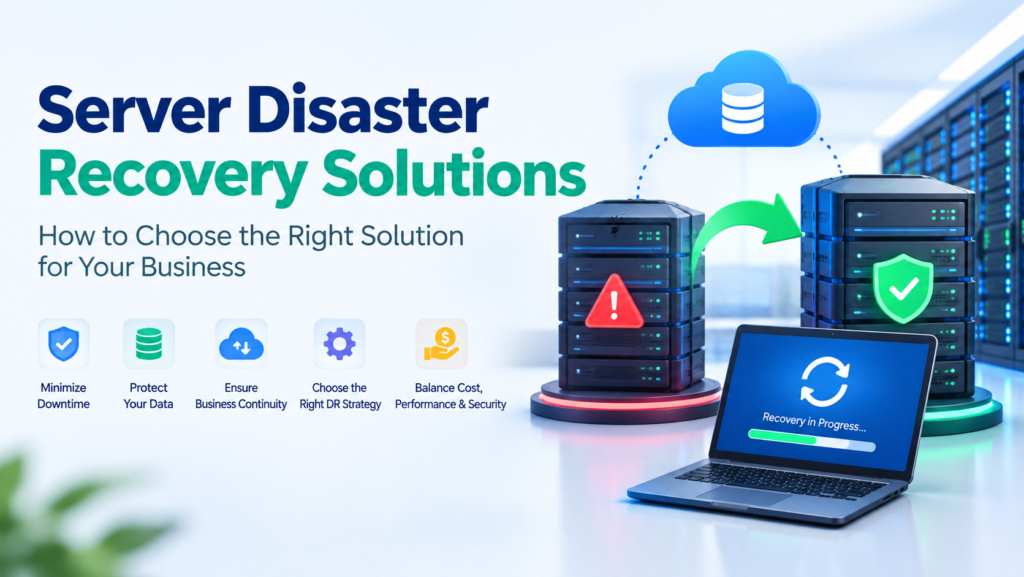
A server failure can stop applications, disrupt employees, expose critical data, and interrupt customer service. Server disaster recovery solutions restore servers, workloads, applications, and data after hardware failure, cyberattacks, software problems, human error, or natural disasters. The right approach depends on business priorities, recovery requirements, budget, and security needs.
Choosing a disaster recovery solution requires more than selecting a backup product. You need an architecture that defines what must be restored, how quickly systems must return, how much data the business can lose, and how recovery will be tested. This guide explains the main options and selection factors.
What Are Server Disaster Recovery Solutions?
Server disaster recovery solutions are technologies, services, and processes used to restore server infrastructure and business workloads after a disruptive event. A complete solution can protect physical servers, virtual machines, databases, applications, storage, and cloud workloads.
A disaster recovery strategy normally combines backups, replication, recovery infrastructure, monitoring, security controls, and documented procedures. The goal is to restore essential services within defined recovery time and recovery point requirements while supporting business continuity.
Why Is Server Disaster Recovery Important?
Server disaster recovery protects business operations when primary infrastructure becomes unavailable. A failed disk, ransomware attack, corrupted database, power problem, or damaged server can make important systems inaccessible.
A strong recovery plan reduces downtime, limits data loss, and gives technical teams a structured response process. Disaster recovery supports business continuity because employees can regain access to essential applications and data without rebuilding the entire environment manually.
What Are the Main Types of Disaster Recovery?
Recovery models balance cost, recovery speed, and infrastructure readiness.
Backup and Restore
Backup and restore is the simplest and usually the least expensive approach. Data and server images are copied to separate storage and restored when the primary environment fails.
This model works well for workloads that can tolerate longer downtime. Recovery can take hours or longer because infrastructure may need to be provisioned, configured, and restored before applications become available.
Pilot Light
A pilot light approach keeps only essential components running in a secondary environment. Core data or configuration is replicated, while additional resources are started during recovery.
Pilot light provides faster recovery than basic backup and restore without the cost of maintaining a fully active secondary environment.
Warm Standby
A warm standby environment keeps a partially active copy of important workloads. Servers and services are ready to scale when the primary environment fails.
Warm standby can provide a practical balance between recovery speed and cost for businesses that need faster recovery but do not require continuous active operation at the secondary site.
Active-Active Replication
Active-active architecture runs workloads across two environments simultaneously. Traffic can continue through the available environment if one location becomes unavailable.
Active-active provides very fast recovery and can support demanding RTO requirements, but it requires more infrastructure, synchronization, monitoring, and operational complexity. Near-zero recovery point objectives may be possible for some workloads, but zero data loss is not guaranteed.
How Do You Choose Disaster Recovery Architecture?
Choose the architecture according to workload criticality, RTO, RPO, infrastructure, budget, and operational capability. Start by identifying which applications and servers are essential to business operations.
Mission-critical databases, payment systems, customer platforms, and core applications usually require faster recovery than development or archival systems. Classify workloads into recovery tiers with realistic recovery objectives.
A business that can tolerate several hours of downtime may not need active-active infrastructure. A business that loses substantial revenue every minute may need warm standby or active-active recovery.
What Are RTO and RPO?
Recovery Time Objective (RTO) defines the maximum acceptable time required to restore a service after disruption. Recovery Point Objective (RPO) defines the maximum acceptable period of data loss.
For example, an RTO of 60 minutes means the workload should be restored within 60 minutes. An RPO of 15 minutes means the recovery process should limit data loss to approximately the previous 15 minutes.
Establish these objectives before selecting technology because they affect replication frequency, secondary infrastructure, storage, bandwidth, and operating costs.
What Should You Consider Before Choosing Disaster Recovery Solutions?
Several factors determine whether a solution will work in a real incident.
Workload requirements: Identify critical servers, databases, applications, virtual machines, containers, and storage.
Recovery objectives: Define RTO and RPO for every important workload instead of applying one target to the entire environment.
Infrastructure: Consider on-premises servers, virtualization platforms, cloud services, storage systems, networking, and dependencies such as identity services.
Total cost: Include hardware, licensing, storage, bandwidth, management, testing, support, and future scaling.
Security: Evaluate encryption, multi-factor authentication, least-privilege access, network segmentation, isolated recovery credentials, and immutable backups.
Testing: Confirm that the solution supports regular recovery tests without creating unnecessary production risk.
Scalability: Make sure recovery capacity can support business growth and changing workload requirements.
How Do Data Center, Network, and Virtualized Disaster Recovery Work?
Data center disaster recovery protects physical infrastructure by maintaining backup systems or recovery capacity at another location. The secondary site can range from basic backup storage to a fully operational recovery facility.
Network disaster recovery focuses on connectivity, routing, firewalls, DNS, load balancing, and other services required to reach recovered workloads. A restored server is useless if users cannot connect.
Virtualized disaster recovery protects virtual machines through snapshots, replication, orchestration, or hypervisor-level recovery. Virtualization can simplify recovery because workloads can be restored to compatible hosts without rebuilding every physical server individually.
How Does Cloud Disaster Recovery Work?
Cloud disaster recovery uses cloud infrastructure to host backups, replicated workloads, or complete recovery environments. Cloud platforms can reduce the need for duplicate physical infrastructure.
A cloud recovery design may use separate availability zones, regions, accounts, subscriptions, or providers depending on the required resilience. Object storage can provide durable backup capacity, while automated provisioning can rebuild servers and supporting services when required.
Cloud DR is not automatically resilient. A recovery environment must still address identity, networking, application dependencies, data consistency, security, and regional failure scenarios.
What Is Disaster Recovery as a Service?
Disaster Recovery as a Service (DRaaS) is a managed recovery model in which a third-party provider supplies or manages recovery infrastructure and processes.
When evaluating DRaaS, review the provider’s service-level agreement, RTO and RPO commitments, supported workloads, security controls, testing procedures, data location, retention policies, and exit procedures. Confirm that the provider can recover the specific server platforms and applications used by your business.
How Do Failover and Failback Work?
Failover moves workloads or traffic from the failed primary environment to a recovery environment. Failover can be manual, automated, or orchestrated depending on the architecture.
Failback returns workloads to the restored primary environment after infrastructure health, data synchronization, and application functionality have been verified. A documented failback procedure prevents teams from returning too early and causing additional disruption.
How Should You Test a Disaster Recovery Plan?
Test disaster recovery regularly because an untested recovery plan cannot provide dependable assurance. A backup can exist without being recoverable, and a replicated server can fail because of an overlooked dependency.
Testing can include restore tests, application validation, failover exercises, game days, synthetic monitoring, and controlled failure scenarios. Infrastructure as code and orchestration make recovery procedures more repeatable.
Record recovery times, data integrity, dependencies, errors, and unresolved issues after each test. Update procedures when requirements change.
How Can You Strengthen Disaster Recovery Security?
Security must protect production and recovery environments. Ransomware can compromise connected backups, so recovery copies need isolation and immutability.
Use encryption for data at rest and in transit, multi-factor authentication, least-privilege access, network segmentation, separate recovery credentials, and protected administrative accounts. Maintain clean recovery points and verify that restored systems are safe before reconnecting them to production networks.
How Do Backup and Recovery Support Disaster Recovery?
Backup and recovery form the foundation of many server disaster recovery solutions. A backup strategy should define what is protected, backup frequency, storage locations, retention, and restore verification.
Keep recovery copies separate from primary infrastructure when possible. Businesses may combine local backups for fast restoration with cloud or off-site copies for protection against site-level incidents.
What Makes the Best Server Disaster Recovery Solutions?
The best server disaster recovery solutions are not necessarily the most expensive. The right solution meets recovery requirements while remaining secure, testable, manageable, and financially sustainable.
A strong solution should provide reliable backup or replication, clear RTO and RPO support, secure recovery storage, monitoring, documented failover and failback, regular testing, and sufficient capacity for critical workloads.
The solution should match actual business risk. Active-active infrastructure may be unnecessary when the business can tolerate several hours of downtime. Basic backups may be insufficient for revenue-critical applications.
Server Disaster Recovery Solutions for Small Businesses
A small business can prioritize critical workloads, maintain local recovery copies for fast restores, and keep separate cloud or off-site copies for larger incidents. This is particularly important when keeping an ecommerce site maintained, because customer orders, product information, and transaction data may need to remain recoverable after a disruption.
A small business can prioritize critical workloads, maintain local recovery copies for fast restores, and keep separate cloud or off-site copies for larger incidents. Managed website maintenance services can reduce internal skills requirements for businesses that need ongoing technical support.
Server Disaster Recovery Solutions for Enterprises
Enterprises often manage complex environments involving multiple data centers, cloud platforms, applications, databases, Kubernetes workloads, identity systems, and large data volumes.
Enterprise recovery designs may use replication, orchestration, multi-region cloud infrastructure, isolated backups, and dedicated recovery sites. Enterprises should define recovery tiers, application dependencies, data sovereignty, security controls, and testing responsibilities.
Server Disaster Recovery Checklist
Before selecting a solution, verify these areas:
- Identify critical servers, applications, databases, and dependencies.
- Define RTO and RPO for each recovery tier.
- Select backup, replication, or standby architecture based on those objectives.
- Maintain isolated or immutable recovery copies.
- Protect recovery credentials and administrative access.
- Document failover and failback procedures.
- Test restoration and application functionality regularly.
- Measure actual recovery performance against defined objectives.
- Review costs, capacity, licensing, and scalability.
- Update the disaster recovery plan when infrastructure changes.
Final Thoughts
Selecting server disaster recovery solutions starts with business requirements, not product features. Define critical workloads, RTO, RPO, security requirements, recovery dependencies, and acceptable costs before choosing an architecture.
Backup and restore can suit lower-priority workloads, while pilot light, warm standby, active-active, cloud DR, or DRaaS can support faster recovery. Whatever model you select, secure recovery copies, documented procedures, testing, and measurable recovery objectives are essential for business continuity.
Frequently Asked Questions
What is disaster recovery in a server?
Disaster recovery in a server is the process of restoring server systems, applications, configurations, and data after disruption. Recovery may use backups, replication, standby infrastructure, cloud services, or managed DR. The objective is to restore required workloads and support business continuity after failure.
What is the best disaster recovery solution?
The best disaster recovery solution is the one that meets your workload’s RTO, RPO, security, availability, and budget requirements. Backup and restore suits lower-priority workloads, while warm standby, active-active, cloud DR, or DRaaS can support faster recovery and stricter objectives.
How often should a DRP be updated?
A Disaster Recovery Plan (DRP) should be reviewed regularly and updated whenever infrastructure, applications, personnel, dependencies, or recovery requirements change. Regular testing should identify gaps, while scheduled reviews keep procedures, contacts, recovery objectives, responsibilities, and recovery steps accurate. Update the plan after incidents.
What is rto and rpo in AWS?
RTO and RPO in AWS define recovery speed and acceptable data loss for workloads. Recovery Time Objective specifies the maximum restoration time, while Recovery Point Objective specifies the maximum acceptable data-loss period. These objectives guide AWS backup, replication, and recovery architecture decisions for each workload.
What is the difference between RTO and RPO in disaster recovery?
RTO measures how quickly a workload must be restored, while RPO measures how much recent data can be lost. For example, a 60-minute RTO concerns downtime, while a 15-minute RPO concerns the recovery point and potential data loss. Both objectives influence recovery architecture and cost.