A single unpatched plugin or a missing SSL certificate is often all it takes for an attacker to get in. Once that happens, you’re not just fixing a technical problem. You’re dealing with lost customer trust, a possible Google blacklist, and hours of cleanup.
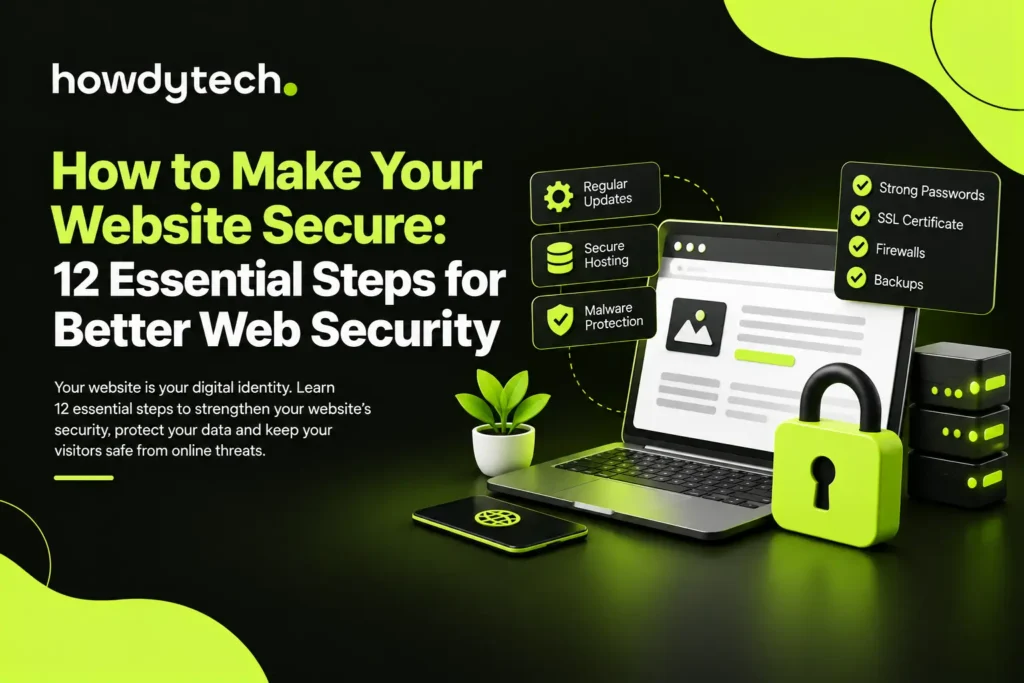
If you’ve been asking yourself how to make my website secure, the good news is that you don’t need a security degree to get there. You need a clear list of steps and the discipline to keep working through them. Below are 12 steps that cover everything from your connection and your login page to your database and your team, so your site stays protected instead of becoming the next headline.
1. Get an SSL/TLS Certificate and Move to HTTPS
If you only fix one thing today, make it this one. An SSL/TLS certificate encrypts the data moving between your visitor’s browser and your server, so passwords, payment details, and contact forms can’t be read by anyone intercepting the connection. This is the foundation of how to make your website HTTPS-secure: without it, everything you send is plain text that any attacker on the same network can grab.
Beyond protection, HTTPS is also a Google ranking signal, and most browsers now flag non-HTTPS pages with a “not secure” warning that scares visitors away before they even read your homepage. Most hosting providers offer free certificates through Let’s Encrypt, or you can buy one from a trusted certificate authority if you want extended validation. Either way, once it’s installed, check that every page, image, and script on your site loads over HTTPS rather than HTTP.
2. Redirect HTTP to HTTPS and Turn On HSTS
A certificate on its own is only half the job. You also need to force every visitor onto the secure version of your site, which is what people mean when they ask how to make my website connection secure. Set up a permanent redirect (a 301) from every HTTP URL to its HTTPS equivalent, so old links, bookmarks, and search results all land on the protected version instead of the outdated one.
Then turn on HTTP Strict Transport Security (HSTS). This header tells browsers to skip HTTP altogether and load your site over HTTPS from the first request, closing the small window where an attacker could intercept that initial connection. Check your site afterward for mixed-content warnings, which happen when a secure page still tries to pull in an image or script over plain HTTP.
3. Update Your Software, Themes, and Plugins on a Schedule
Outdated software is the single biggest way hackers get into websites. Every update your CMS, theme developer, or plugin author releases usually patches a known flaw, and once that flaw is public, attackers actively scan the web looking for sites that haven’t applied the fix yet.
Turn on auto-updates wherever you can, and check the rest manually at least once a week. Remove plugins you’re not using, since every inactive one is still a possible way in. If you run WordPress, this single habit closes a large share of the paths attackers rely on, and it costs you nothing but a few minutes a week.
4. Put a Firewall in Front of Your Website
A web application firewall (WAF) sits between your site and the traffic hitting it, filtering out requests that look malicious before they ever reach your server. It’s one of the best defenses against SQL injection, cross-site scripting, and bots probing for weak spots.
Most WAFs also give you visibility into where your traffic is coming from and let you set custom rules for your specific site. A firewall isn’t a replacement for the other steps here, but paired with them, it stops a large share of attacks before they cost you any time or data.
5. Run Regular Vulnerability and Malware Scans
You can’t fix what you don’t know about. Vulnerability scanning checks your files, plugins, and core software for known weaknesses, while malware scanning looks for code that’s already made its way in. Together, they catch problems before customers notice a slow site or before Google flags you as unsafe.
Free scanners exist, but they typically miss more than they catch. A paid scanning service that runs daily checks and can remove malware automatically is worth the cost, especially if your site handles customer data or payments. Set up scans to run on a schedule rather than relying on memory to check manually.
6. Use Strong Passwords and Two-Factor Authentication
Weak, reused, or short passwords are still one of the easiest ways in. A strong password uses at least 12 characters and mixes uppercase and lowercase letters, numbers, and symbols, with no personal details or common words that show up on breach lists. A password manager takes the guesswork out of this by generating and storing unique credentials for every account.
Two-factor authentication (2FA) adds a second check, usually a code from an app or a text message, so a stolen password alone isn’t enough to get in. Turn it on for every account with access to your site, not just the main admin login, since a compromised contributor account can do just as much damage.
7. Limit Who Has Admin Access
Not everyone who wants access to your site needs it. Apply the principle of least privilege: give each person only the permissions their role requires, nothing more. A writer publishing blog posts doesn’t need the same access as a developer working in the root directory.
Review your user list on a regular schedule and remove accounts that are no longer active, along with permissions that people no longer use. Set a low limit on failed login attempts too, so repeated guessing gets locked out instead of being allowed to keep trying.
8. Add Security Headers and a Content Security Policy
Security headers tell the browser how to handle your site’s content, and a few of them close off common attack paths with almost no setup work. X-Frame-Options stops your pages from being loaded inside someone else’s iframe (used in clickjacking), and X-Content-Type-Options stops browsers from misreading file types in ways attackers can abuse.
A Content Security Policy (CSP) goes further by naming exactly which sources your browser is allowed to load scripts, styles, and images from. Start with a report-only policy so you can see what would be blocked before you enforce it, then tighten the rules once you’ve confirmed nothing legitimate breaks.
9. Set Up DDoS Protection
A distributed denial-of-service (DDoS) attack floods your server with fake traffic until it can’t respond to real visitors. Even a short outage during a busy sales period can cost you real revenue and damage the trust you’ve built with customers.
A content delivery network (CDN) spreads your traffic across multiple servers, which absorbs sudden spikes and filters out bad requests before they reach your origin server. Many WAF and CDN services bundle this protection together, so if you’ve already set up a firewall, check whether DDoS mitigation is included.
10. Back Up Your Website Automatically
When something does go wrong, whether it’s an attack, a bad update, or accidental deletion, a recent backup is what gets you back online quickly instead of starting from nothing. Manual backups get forgotten, so set up an automated schedule that runs daily or at whatever interval matches how often your content changes.
Store copies off-site, away from your main server, so a compromised host doesn’t take your backups down with it. Test your restore process now and then too. A backup you’ve never actually restored from is a backup you can’t fully count on.
11. Lock Down Your Database
Your database holds the information attackers want most: customer records, order details, and login credentials. Give it its own strong, unique password, separate from anything else on your site, and restrict access to only the accounts that genuinely need it.
Use prepared statements or parameterized queries in any custom code that touches your database. This is what stops SQL injection, where an attacker sneaks malicious code into a form field to manipulate your database directly. Keep your database software patched and review who has connection access on a regular basis.
12. Choose Secure Hosting and Train Your Team on Phishing
Your host is the foundation everything else sits on. Look for a provider that offers firewalls, malware scanning, DDoS protection, and regular security patches as part of the package, not as costly add-ons. A cheap host that skips these features puts everything above at risk, no matter how well you’ve configured your site.
The last piece isn’t technical at all: your people. Phishing protection starts with training your team to recognize fake login pages and suspicious attachments, since one clicked link can undo every other step on this list. Put a clear policy in place for what to do if someone suspects a breach, so nobody wastes time figuring out who to call while an attacker is still active.
Bottom Line
Website security comes down to layers, not any single fix. HTTPS keeps your data encrypted in transit, a firewall keeps bad traffic out, and backups give you a way back if something still gets through; each layer covers what the others miss. Together, they give you a straightforward way to secure your website: not with one tool, but with a routine you keep running.
If you’re just getting started, focus on your SSL/TLS certificate and your update schedule first, since these two alone close off the paths attackers use most. Build the rest in from there at a pace that fits your site, and revisit the whole list every few months as your plugins, staff, and content change.
Keeping up with all of this on top of running your business isn’t always realistic, though, which is where Howdy Tech’s website maintenance plans come in. They handle the day-to-day security work for you, from software updates to malware monitoring, so you can stay focused on everything else.
Frequently Asked Questions
What are the best ways to secure a website?
Start with HTTPS, keep every piece of software updated, use a firewall, and back up your site automatically. Add strong passwords with two-factor authentication and limit who has admin access, and you’ll have covered the areas attackers target most often.
How do I protect my website from cyber attacks?
Layer your defenses instead of relying on one tool. A firewall blocks malicious traffic, regular scans catch what gets through, and backups mean an attack doesn’t have to be a disaster. No single step stops everything, but together they close most of the paths attackers use.
How to secure a website for free?
Let’s Encrypt gives you a free SSL certificate, and many CMS platforms include free security plugins for basic scanning and login protection. You’ll eventually hit limits, especially with malware removal and DDoS protection, but these free tools provide a solid starting point.
How do I make my website connection secure?
Install an SSL/TLS certificate, redirect all HTTP traffic to HTTPS, and turn on HSTS so browsers never fall back to the unencrypted version. Check for mixed-content warnings afterward to confirm every element on your pages loads securely.
Is HTTPS alone enough to secure my website?
No. HTTPS protects data in transit, but it doesn’t stop malware, weak passwords, outdated plugins, or a poorly secured database. Treat it as one layer of your security setup, not the whole strategy.
How often should I update my website’s security measures?
Check for software updates weekly, run vulnerability scans daily if you can, and review user permissions and backups at least once a month. Security isn’t a one-time setup; it’s a routine you keep up with.