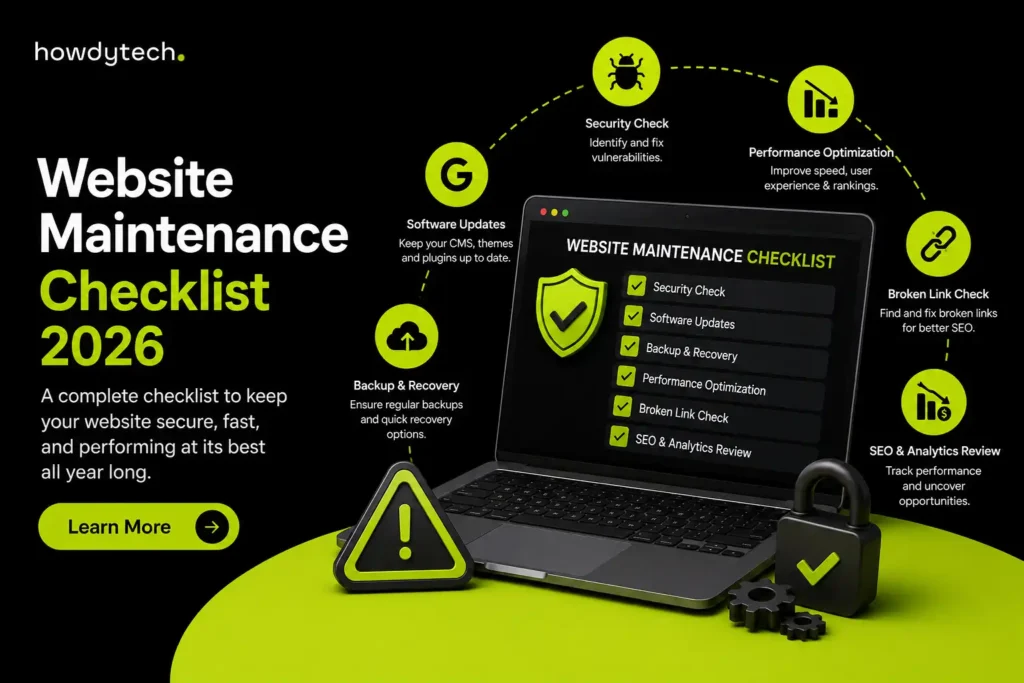
A website maintenance checklist is a list of tasks you repeat on a set schedule. It keeps a website secure, fast, and working the way it should. It usually covers software updates, backups, security scans, broken link checks, speed tests, and content reviews. Each task is grouped by how often it needs to happen: daily, weekly, monthly, quarterly, or yearly.
Most website owners only think about maintenance after something breaks. A hacked site. A broken checkout page. A sudden drop in Google rankings. By the time this happens, the fix costs far more than regular upkeep would have. This guide lays out exactly what to check, how often to check it, and what changes depending on whether your site runs on WordPress, Shopify, or another platform.
What Counts as Website Maintenance?
Website maintenance is the ongoing work of keeping a live website running the way it should. This includes updating software, watching for security threats, fixing broken pages, testing forms and checkout flows, and reviewing how the site performs in search results.
It is different from building or redesigning a website. A redesign is a one-time project. Maintenance never really finishes, because browsers, plugins, and security threats keep changing. This ongoing work is really just one part of website management, which also covers content strategy and overall site direction.
Signs Your Website Needs Maintenance Right Now
Before the schedule, it helps to know what a neglected site actually looks like. If any of these sound familiar, your site is overdue for attention:
- Pages take more than 3 seconds to load
- You have not updated plugins, themes, or apps in over a month
- You do not know when your last backup was taken
- Contact forms or checkout have not been tested recently
- Your Google rankings have quietly dropped over the last few months
- You are still getting traffic to pages that no longer exist (404 errors)
- Your admin login does not use two-factor authentication
None of these are emergencies on their own. But together, they are exactly how small problems turn into a hacked site or a week of lost sales. A small business website is often the first place customers check before they call or buy, so even small cracks show up fast.
The Complete Website Maintenance Checklist, by Schedule
Break maintenance into daily, weekly, monthly, quarterly, and yearly tasks. This way nothing gets forgotten, and nothing takes up more time than it needs to.
Daily Website Maintenance Tasks
- Check uptime monitoring for any downtime alerts
- Glance at security alerts from your firewall or scanner
- Note anything unusual in server error logs
Weekly Website Maintenance Tasks
- Update plugins, themes, or apps. Test on a staging site first. Never push updates straight to a live site.
- Confirm your backup actually ran and saved correctly, not just that the backup job started
- Test your contact form, checkout, and login page
- Check Google Search Console for new crawl errors or 404s
- Scan for broken links on any pages you changed that week
- Review spam comments or spam form submissions
Monthly Website Maintenance Tasks
- Run a full malware and security scan
- Clean up your database. Remove spam, old drafts, and unused data.
- Test Core Web Vitals (page speed) using Google PageSpeed Insights and fix anything that got worse
- Compress new images and confirm old ones are optimized
- Review Google Analytics for traffic changes, top pages, and where visitors drop off
- Check keyword rankings for your main pages
- Confirm your SSL certificate is still valid
- Test the site on mobile and in at least two different browsers
Quarterly Website Maintenance Tasks
- Run a full technical SEO audit: duplicate content, broken redirects, keyword overlap between pages
- Review and update outdated blog posts or service pages
- Check accessibility basics such as image alt text, color contrast, and keyboard navigation
- Review who has admin access and remove anyone who should not have it
- Actually test that your backups can be restored, not just that they exist
- Review internal linking so your most important pages are easy to find
Annual Website Maintenance Tasks
- Renew your domain and hosting. Confirm the payment method on file is current. This one step alone prevents most surprise outages.
- Run a full disaster recovery test: restore a backup to a staging environment and check that nothing is missing
- Review whether your current hosting plan still fits your traffic and site complexity
- Refresh outdated design elements so the site does not look stuck in a previous year
- Set your content and SEO priorities for the next 12 months
Security and Backup Essentials
A handful of habits prevent most of the incidents that turn into emergencies:
- Require two-factor authentication for every admin account
- Keep a web application firewall active at all times
- Store backups off-site, not just on the same server as the live site
- Back up daily if your site changes often, such as an e-commerce store or active blog. Weekly is enough for mostly static sites.
- Patch security issues immediately. Everything else on this checklist can wait a day. This should not.
How Much Does Website Maintenance Cost?
Costs vary a lot depending on your platform, site size, and whether you handle it yourself or hire it out. Prices can range from a few dollars a month for a personal blog to several thousand dollars a month for a large e-commerce store. Rather than repeat all of that here, a full breakdown of website maintenance costs by site type, along with what drives the price up or down, is covered separately.
DIY vs. Hiring Help: Which Makes Sense?
- DIY works fine for a personal blog or portfolio site where downtime does not cost you money. It takes time and some technical comfort, but the cash cost is close to zero.
- A freelancer is a good fit for one-off fixes, such as a broken form, a small redesign, or a specific bug. The tradeoff is availability during an actual emergency.
- A managed maintenance plan makes the most sense once your website is actually driving revenue, leads, or bookings. The cost of a single day of downtime usually outweighs months of a maintenance plan.
Agencies managing maintenance for multiple clients under their own name have a different set of needs entirely. That is what white-label website maintenance is for.
Tools That Make This Easier
You do not need a huge stack. Just one reliable tool per category is enough:
- Uptime monitoring: catches downtime before customers do
- Security scanning: flags malware and vulnerabilities early
- Google PageSpeed Insights or Lighthouse: tracks Core Web Vitals over time
- Google Search Console: shows crawl errors, indexing issues, and search performance
- Google Analytics (GA4): tracks traffic, behaviour, and where visitors drop off
- A site crawler, such as Screaming Frog: catches broken links and orphan pages before users do
Frequently Asked Questions
What should be included in a website maintenance checklist?
A website maintenance checklist should include security checks, software updates, backups, broken link checks, form testing, performance monitoring, content reviews, and SEO checks.
What website maintenance tasks should be done weekly?
Weekly tasks should include checking security alerts, verifying backups, testing important forms, checking broken links, reviewing uptime, and looking for major website errors.
What website maintenance tasks should be done monthly?
Monthly tasks should include updating the CMS, plugins, and themes, reviewing website content, checking site speed, reviewing analytics and Search Console, and testing key website features.
What website maintenance tasks should be done annually?
Annual tasks should include a deeper security review, accessibility check, design and usability review, database cleanup, backup recovery testing, and an overall review of website performance.
Can website maintenance tasks be automated?
Yes. Backups, uptime monitoring, security scans, and some software updates can be automated. However, the results still need to be reviewed regularly to catch problems that automated tools may miss.